Convert Scans to CAD-Ready Files
Upload scanned PDFs, TIFF sheets, or blueprint photos. Trace raster linework into CAD geometry and download DXF, DWG, or DGN results.
Best for: Scanned PDF · TIFF · JPG · PNG · Blueprint images
Real conversion examples
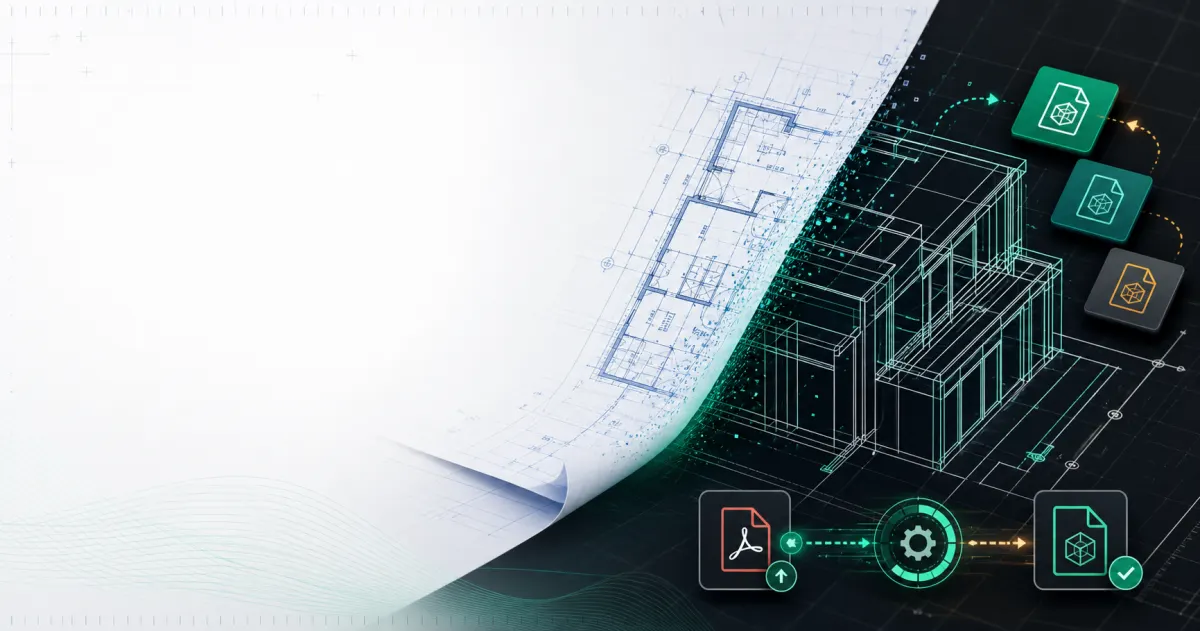
See the drawing move from scanned plan to CAD linework
Upload vector PDFs, scanned PDFs, and blueprint images. The converter prepares editable CAD output so teams can continue work in AutoCAD, BricsCAD, DraftSight, or LibreCAD.
Scanned PDF or blueprint image
Raster linework, paper artifacts, and plan-sheet boundaries are detected from the upload.
CAD-ready DXF, DWG, or DGN
Clean vector linework is exported for downstream drafting, takeoff, and CAD cleanup.
Fast CAD conversion
Vector PDFs convert in seconds. Scanned plans and blueprint images are traced into editable linework.
Accurate geometry
Lines, curves, text, and page bounds are extracted where possible for DXF, DWG, and DGN output.
Secure workflow
Drawings upload securely, process reliably, and stay available in your conversion history.
Solutions by industry
CAD conversion for every drawing workflow
Whether you work from vector PDFs or scanned blueprints, the same upload-to-download workflow gets drawings into DXF, DWG, or DGN.
Architects
Convert floor plans, elevations, and construction sheets into editable CAD files.
- Floor plan conversion
- Vector PDF to DXF
Engineers
Turn mechanical, civil, and structural drawings into CAD-ready geometry.
- Section and detail sheets
- Precision linework export
Contractors
Move blueprint PDFs into DXF, DWG, or DGN for field markup and coordination.
- Blueprint scans
- DWG export
Surveyors & drafters
Trace scanned plans and raster images into CAD layers for redlines and edits.
- Scanned PDF tracing
- Raster linework
Simple pricing by drawing
CAD work is organized around drawings, not credits. Plans include PDF, scanned PDF, and blueprint image conversion to DXF, DWG, or DGN.
Starter
$29/mo
25 drawings/month
- Batch upload (up to 5)
- DXF, DWG, and DGN export
- Conversion history
- Email support
Professional
$79/mo
100 drawings/month
- Batch upload (up to 25)
- DXF, DWG, and DGN export
- Faster processing
Business
$199/mo
500 drawings/month
- Batch upload (up to 50)
- Priority processing
- Team dashboard
- Priority support
Trusted by drawing teams
Architects, engineers, and contractors use PDF to CAD Converter for plan sheets, blueprints, and scanned drawings.
We upload architectural PDFs and get clean DXF files without rebuilding the sheet from scratch. The preview before download saves a lot of back-and-forth.
Scanned blueprint PDFs convert into traceable linework we can open in BricsCAD. Batch upload and history make repeat jobs much easier.
The workflow feels familiar if you have used document conversion tools before. Upload, pick DXF, DWG, or DGN, preview, download — straightforward.
Scan & vector conversion
Vector PDFs and scanned plans in one workflow
Upload a vector PDF for direct geometry extraction, or send scanned PDFs and blueprint images through edge tracing to produce CAD linework.
Scanned documents
Blueprint images and scanned PDFs are rendered and traced into CAD line segments.
Vector PDFs
Native PDF linework, curves, and text are extracted directly into DXF, DWG, or DGN.
What you get
- Vector PDF geometry extraction
- Scanned PDF and blueprint tracing
- DXF, DWG, and DGN export
- Preview before download
- Conversion history for signed-in users
Sheets
Browser CAD viewer
View converted CAD files before you download
After a conversion finishes, users can preview the CAD result in the modal, download it immediately, or open a full viewer with drawing controls for larger sheets.
Preview before downloading
Completed conversions open in the result modal with CAD preview and download actions.
Controls built for drawings
Zoom, pan, measure, rotate, layer visibility, and line contrast controls sit above the preview.
Open the full viewer
Large sheets can move from the modal into a dedicated viewer page on desktop, tablet, or phone.
Signed-in users keep conversion history, repeat downloads, and full viewer links for completed drawings.
50K+
Drawings converted
99.8%
Geometry accuracy
24/7
Secure processing
4 formats
DXF, DWG, PDF & scans
FAQ
What scan formats can I upload?
You can upload scanned PDFs plus PNG, JPG, TIFF, and DGN blueprint images through the same conversion workflow.
How are scanned drawings converted?
Raster sheets are rendered, edge-traced, and written into CAD linework so you can download DXF, DWG, or DGN output.
Should I enable raster tracing for scans?
Precision conversion keeps raster tracing enabled by default, so scanned PDFs and blueprint images are traced automatically.